2GO App Philippines: Book Tickets, Deliveries & Real-Time Tracking
Navigating inter-island logistics and passenger sea travel across an archipelago of more than 7,000 islands can be demanding. Whether you are planning a relaxing sea voyage (“sailcation”) from Manila to Cebu or sending critical business cargo from Luzon to Mindanao, the 2GO App Philippines consolidates these services into a single mobile dashboard.
Developed under the umbrella of 2GO Group Inc. and SM Online Corp., the official 2GO App modernizes the way Filipinos and tourists manage their logistics and sea transport.
What Is the 2GO App Philippines?
The 2GO App Philippines is the all-in-one mobile application designed by 2GO Group, Inc. to handle two major operational pillars:
Instead of lining up at ticketing outlets, visiting physical partner branches, or relying on browser tabs, the mobile app lets you handle your logistics and passenger reservations anytime, anywhere.
Key Features of the 2GO Mobile App
Seamless 2GO Travel Bookings
Search routes between major domestic ports (Manila, Batangas, Cebu, Iloilo, Bacolod, Cagayan de Oro, Zamboanga, Coron). Select Super Value Class, Tourist Class, Cabin for 4, or State Rooms. Manage passenger discounts, baggage, and pet travel advisories effortlessly.
2GO Express Courier Services
Arrange doorstep package pickups or drop-offs at nearby 2GO retail outlets. Built-in Shipping Rate Calculator provides transparent estimates based on weight, dimensions, and destinations.
Real-Time Waybill Tracking
Monitor documents, cargo, or express packages using your 10- to 12-digit Waybill / Reference Number. Receive push notifications for pick-up, sorting, transit, and delivery milestones.
App-Exclusive Promos
Access app-only seat sales, discounted freight rates, and seasonal holiday promos such as 2GO Travel Piso Sales and holiday specials.
Technical Specifications
The 2GO App Philippines is lightweight and optimized for both major mobile operating systems:
|
Detail |
Android Version |
iOS / iPadOS Version |
|---|---|---|
|
Official App Name |
2GO App Philippines |
2GO App Philippines |
|
Developer / Publisher |
2GO GROUP, INC. / SM Online Corp. |
SM Online Corp. |
|
File Size |
Approx. 25 MB – 35 MB |
Approx. 64.7 MB |
|
Minimum OS Required |
Android 5.0 or higher |
iOS 15.5 or later (Compatible with iPhone, iPad, & Mac) |
|
Store Category |
Travel & Local / Shopping |
Travel / Lifestyle |
How to Install and Set Up the 2GO App
Android Installation Steps
iPhone / iPad Installation Steps
Step-by-Step User Guides
How to Book a Ferry Ticket via 2GO Travel
How to Schedule a Package Delivery via 2GO Express
How to Track a Parcel or Cargo
Payment Methods Supported in the App
To ensure convenient transactions for local and international users, the 2GO App supports major payment channels:
E-Wallets
GCash, Maya, and GrabPay.
Credit & Debit Cards
Visa, Mastercard, and JCB.
Online Banking
Direct interbank transfers via partner payment gateways.
Over-the-Counter (OTC)
Cash payments via partner convenience stores, pawnshops, and SM payment counters.
Troubleshooting Common Issues
Booking Deducted but No Ticket Generated
On rare occasions, network timeouts during e-wallet payment verification can delay ticket issuance.
Solution: Do not place a duplicate booking right away. Check your registered email for an automated receipt. If it does not appear within 15 minutes, note your transaction/reference ID and contact itservices@2go.com.ph or the hotline with proof of payment.
App Crash on Startup or During Checkout
Solution: Ensure your app is updated to the latest build. Clear cache in Settings > Apps > 2GO App > Storage > Clear Cache (on Android) or reinstall the app from the App Store (on iOS)
Tracking Status Not Updating
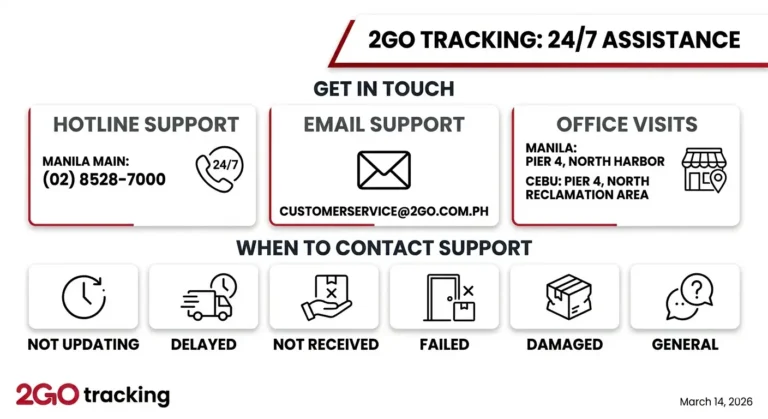
Solution: For drop-offs at third-party partner kiosks, the initial scan may take 4 to 8 hours to register in the central logistics database. If no update appears after 24 hours, call the customer interaction center.
FAQs
Final Thoughts
The 2GO App Philippines bridges the gap between sea travel and everyday package shipping, providing a unified mobile solution for personal and commercial needs across the archipelago. Whether you want to score promotional passenger fares or manage critical business shipments with real-time tracking, having the app installed puts the full suite of 2GO services right in your pocket.